Smart Display Buying Guide: Kitchen, Bedroom, or Living Room?
A smart display earns its spot differently in each room. This guide matches screen size, camera, sound, and privacy needs to where the display will actually live — kitchen, bedroom, or living room.
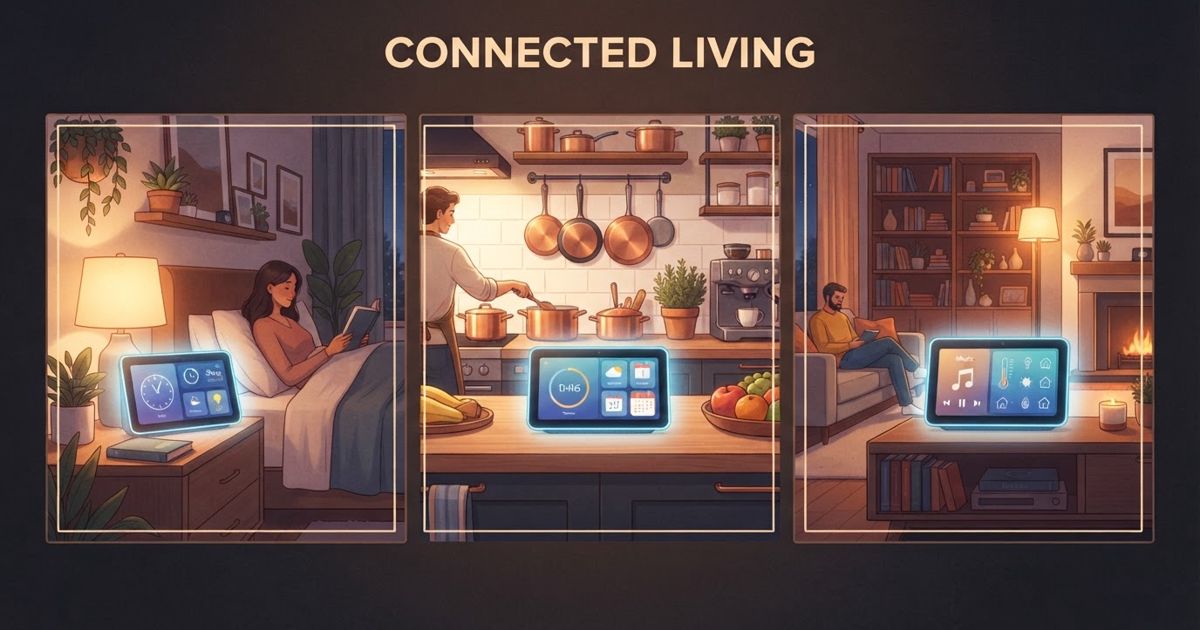
Table of contents
A smart display is a smart speaker with a screen, and that screen changes what the device is good at depending on where you put it. The same model that's brilliant on a kitchen counter can be a poor choice on a nightstand, and the features you'd pay extra for in a living room are wasted in a hallway. Instead of asking "which smart display is best?" the more useful question is "which display for which room?" This guide works through the three rooms most people buy for and what actually matters in each.
What a screen adds over a plain speaker
Before picking a room, it helps to know what the display buys you over a screenless speaker: visual answers (weather, recipes, timers you can see at a glance), video calls, a photo frame when idle, camera feeds from a doorbell or security camera, and touch controls for your smart home. If none of those appeal and you just want voice and music, a speaker may serve you better and cost less. Our comparison of smart speakers vs. smart displays walks through that first decision in detail.
If you've decided a screen is worth it, the right size and feature set depend heavily on the room.
The kitchen: the classic smart display home
The kitchen is where smart displays shine, and where most people put their first one. You're often standing a few feet away with wet or messy hands, glancing rather than staring.
What to prioritize:
- A medium-to-large screen you can read from across the counter. Recipe steps and timers need to be legible at arm's length and beyond.
- Strong voice recognition over kitchen noise. Running water, a range hood, and a busy room mean the microphones matter more than the screen.
- A wipeable, splash-tolerant surface and a stable base that won't get knocked over.
- Hands-free timers and unit conversions, the everyday workhorses of kitchen use.
A camera is optional here — some people love propping the display up for a video call while cooking, others never use it. Sound quality matters less than in a living room, since the kitchen is rarely your main listening space.
The bedroom: prioritize sleep, privacy, and gentleness
The bedroom flips the priorities. This is an intimate space, and the features that impress in a kitchen can be liabilities on a nightstand.
What to prioritize:
- A screen that dims low enough at night. A display that glows too brightly in a dark room is a dealbreaker. Look for a good ambient light sensor and a proper night or sleep mode.
- Gentle wake and sleep routines — sunrise-style brightening alarms and wind-down cues are genuinely useful here.
- Small footprint. Nightstands are crowded; a compact display beats a big one.
Privacy deserves extra weight in a bedroom. Many people specifically want a model without a camera on the nightstand, or one with a physical camera shutter and a hardware mic-off switch so it's obvious when it can't see or hear you. If a camera is present, being able to physically cover it matters more here than anywhere else in the home. For the broader picture on always-listening devices, see our notes on smart speaker privacy. A bedroom is also the room where you're most likely to want the microphone off at night, so an easy, reliable hardware switch is a real feature, not a gimmick.
The living room: sound, size, and the family hub
The living room is where a smart display can act as a genuine hub — a place the whole household interacts with, watches short video on, and controls the home from.
What to prioritize:
- The largest screen you're comfortable with and better speakers, since you may listen to music or watch clips from across the room.
- Camera quality for video calls, which the living room hosts more than any other room.
- Smart home dashboard features — a living room display is a natural spot to glance at doorbell feeds, thermostat, and lights.
- A wide viewing angle, because people will look at it from the sofa, the doorway, and the floor.
Because it's a shared, social space, the privacy calculus is a little different: a camera is more likely to be genuinely useful, but you still want a shutter and clear indicators so guests know when it's active.
Quick room-by-room summary
| Room | Screen size | Camera priority | Standout features |
|---|---|---|---|
| Kitchen | Medium–large | Optional | Legible timers, noise-tolerant mics, splash resistance |
| Bedroom | Small | Prefer none / shuttered | Deep dimming, sleep routines, hardware mic switch |
| Living room | Large | Higher | Good speakers, video calls, smart home dashboard |
Buying advice that cuts across rooms
A few principles hold no matter where the display goes:
- Match the ecosystem you already use. A display locked to an assistant your other devices don't speak makes daily life harder. If you're still building the foundation, our beginner device guide covers picking an ecosystem first.
- Buy for the room's real use, not the spec sheet. A camera and big speakers are wasted on a nightstand; deep dimming is wasted in a bright kitchen.
- Check the privacy controls before you buy, especially the presence of a physical mic switch and camera shutter, which vary a lot between models.
- Think about mounting and cables. A counter display needs a tidy spot near an outlet; a nightstand display shouldn't trail a cord across the bed.
Pick the room first, decide what that room actually needs, and the shortlist of displays gets short fast. A smart display bought for where it lives — rather than for its most impressive feature — is the one you'll still be happy with a year later.