Smart Speaker Privacy: Alexa, Google, Siri and Local Control
Always-listening doesn't mean always-recording. Here's what each assistant sends to the cloud, what stays local, and the ten-minute settings run every household should do.
Table of contents
Voice assistants live in the most intimate rooms of a home, which is exactly why privacy questions follow them around. The good news: every major platform now gives you mute buttons, voice history controls and permission settings — you just have to know where they are and what they actually do.
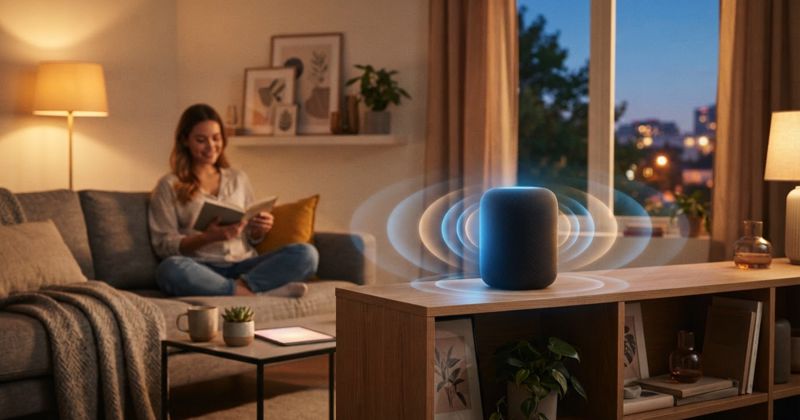
A smart speaker is, at its core, an always-listening microphone connected to a cloud service. That sentence sounds alarming, but it deserves nuance. "Always listening" does not mean "always recording." Understanding the difference is the first step to using voice control without feeling watched.
How a smart speaker actually listens
Every mainstream assistant — Amazon Alexa, Google Assistant and Apple Siri — uses on-device wake word detection. The microphone hears ambient sound continuously, but a small local model is only looking for "Alexa," "Hey Google" or "Siri." Audio before the wake word is discarded on the device and never leaves it. Once the wake word fires, the speaker streams the following snippet to the cloud, where the request is interpreted and answered.
Two privacy realities follow from this design. First, false wakes happen — a TV character, a similar-sounding word, a doorbell — and those snippets do get sent and sometimes stored. Second, where the interpretation happens matters. The more a platform processes locally, the less of your voice travels to a company's servers.
The U.S. Federal Trade Commission, in its "Careful Connections" guidance for connected-device makers, stresses data minimization — collecting only what a device needs and being transparent about it. As a buyer, you can apply the same principle from your side: turn off what you do not use, and delete what you do not need to keep.
Platform by platform: what runs locally, what goes to the cloud
According to security.org's smart-home platform testing, Apple HomeKit scores highest for privacy, in part because it processes most commands locally and uses end-to-end encryption for HomeKit data. Home Assistant, an open-source platform, goes further still — it is self-hosted, so data never leaves your home unless you opt into a cloud add-on.
Alexa and Google Assistant lean more on cloud processing, which is part of why security.org credits Google Assistant with answering 93% of test questions correctly and Alexa with the widest device compatibility (over 400,000 devices). That cloud horsepower is a genuine convenience trade-off, not a scandal — but it does mean more of your requests are processed and, by default, retained on company servers unless you change the settings.
| Platform | Wake-word detection | Where requests are processed | Built-in privacy controls |
|---|---|---|---|
| Amazon Alexa | On device | Mostly cloud | Mute button, voice history, "don't save recordings," auto-delete |
| Google Assistant | On device | Mostly cloud | Mic switch, Web & App Activity off, auto-delete, "Hey Google" sensitivity |
| Apple Siri | On device | Mostly local for HomeKit | Siri & Dictation history off, randomized identifiers |
| Home Assistant (Assist) | On device / local | Fully local (self-hosted) | No cloud account required |
Bold takeaway: if minimizing cloud exposure is your priority, Apple Home and Home Assistant are the natural fits. If you value the widest compatibility and best general-knowledge answers, Alexa and Google ask you to trust their cloud — and to manage your history settings actively.
The privacy settings checklist every household should run
Whatever platform you chose, walk through this once after setup. It takes ten minutes and changes your exposure permanently.
- Find the physical mute switch. Every Echo, Nest and HomePod has a hardware or software mic toggle. Use it during sensitive conversations, not just when guests visit.
- Turn on auto-delete for voice history. Alexa and Google both let you auto-purge recordings after 3 or 18 months — or stop saving them entirely.
- Opt out of human review. All three companies have used staff or contractors to review snippets to improve accuracy. Each now lets you decline; do it.
- Disable voice purchasing or require a confirmation code, so a guest (or a child) cannot order by speaking.
- Restrict third-party skills/actions. Only enable the integrations you use; each one can request data.
- Set up voice match / personal results carefully so the speaker does not read calendars, messages or addresses to anyone in the room.
This mirrors the layered approach the New Jersey Cybersecurity and Communications Integration Cell recommends for IoT generally: change defaults, limit permissions, and keep firmware current so security fixes actually reach the device.
What "local control" really buys you
You will see "local control" sold as a privacy feature, and it is — but it is worth being precise about what it does and does not do. Local processing means a command like "turn off the kitchen lights" is recognized and executed without a round trip to a distant server. That lowers latency, keeps working during an internet outage, and keeps the request itself off a company's logs.
What local control does not do is make a cloud-connected assistant fully offline. General-knowledge questions, music streaming, shopping and most third-party skills still reach out to the internet by design. So even on the most local-first setup, treat the wider question — "what is this device allowed to send, and to whom?" — as the one that matters. The CSA's Matter standard pushes the industry toward local-by-default device control, which helps, but a speaker that answers trivia or plays a podcast is still talking to the cloud for those tasks. The honest framing for buyers: local control shrinks your exposure, it does not eliminate it, and that is still a meaningful win.
Renters, families and shared homes
Privacy is not only about the cloud — it is about the people in the room. Families with children should disable voice purchasing and consider a kids' profile that limits what the assistant will answer. Renters and roommates sharing a speaker should remember that, without voice match, the assistant treats every voice the same; calendar and reminder read-aloud can leak personal details to housemates. And anyone hosting short-term guests in a smart home should mute or unplug microphones in bedrooms and bathrooms — a basic courtesy the device cannot infer on its own.
If you are still deciding which ecosystem to build on, our platform comparison goes deeper on the trade-offs.
Bottom line
A smart speaker is convenient precisely because it is listening for you — but "listening" is not "recording everything." Pick the platform whose default posture matches your comfort level: Apple Home or Home Assistant for maximum local control, Alexa or Google if you will actively manage history and permissions. Then run the checklist once. The microphone in your kitchen should work for your household, not quietly against it.