Smart Home Network Segmentation: How to Separate IoT Devices From Personal Devices
Your smart plug should never sit on the same network as your laptop and phone. Network segmentation puts chatty, hard-to-update IoT gadgets in their own lane, so a compromised device can't reach your personal data. Here's how to do it without a networking degree.
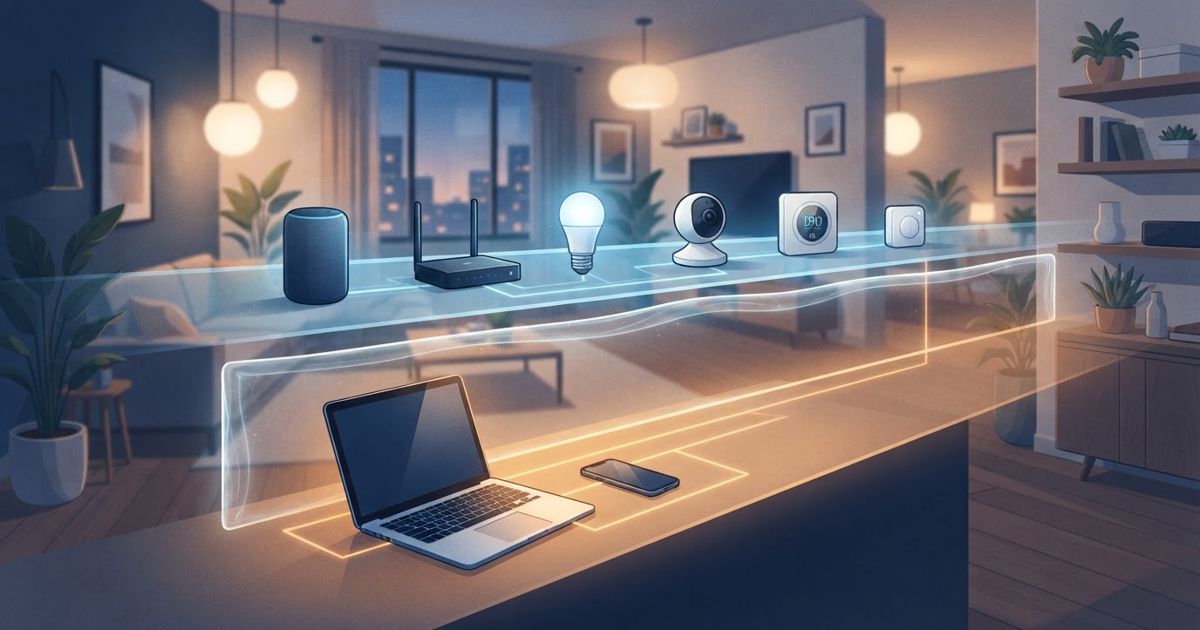
Table of contents
Most smart homes run everything on one flat network: your laptop, your phone, the family photos on a NAS, and also the twelve-dollar smart plug that hasn't had a firmware update since you bought it. That's convenient — and it's the exact arrangement that lets one weak gadget become a doorway to everything else.
Network segmentation fixes that. The idea is simple: put your IoT devices in one lane and your personal devices in another, with a barrier between them. If a cheap camera or bulb is compromised, the attacker lands in a room with nothing valuable in it. This is one of the highest-impact steps on any smart home security checklist, and you don't need to be a network engineer to do it.
Why a flat network is risky
IoT devices are the soft underbelly of a home network for a few reasons:
- They're rarely updated. Many budget gadgets stop receiving security patches quickly, if they ever got them.
- They phone home constantly. A lot of devices maintain cloud connections you can't easily see or control.
- They're hard to inspect. You can't run security software on a light bulb.
On a flat network, every device can potentially "see" and reach every other device. A compromised smart plug sitting next to your work laptop and your file storage is a genuine lateral-movement risk. Segmentation removes that adjacency: the plug simply can't reach the laptop, because they're on different networks that aren't allowed to talk.
The three levels of segmentation
You can pick the level that matches your gear and patience.
1. Guest network (easiest). Almost every modern router has a guest Wi-Fi network that's isolated from your main one. Put your smart devices on the guest network and keep phones and computers on the main network. It's a few minutes of work and it delivers most of the benefit for most people.
2. A dedicated IoT SSID. Some routers let you create a separate network specifically for IoT with client isolation and its own name. Functionally similar to the guest approach but a little more deliberate and easier to manage as your device count grows.
3. VLANs (most thorough). Higher-end and prosumer routers support VLANs — virtual networks that are genuinely separated at a lower level, with firewall rules controlling exactly what can cross between them. This is the strongest option and the one to reach for if you run many cameras or care deeply about isolation. It's also the most involved to set up.
For the majority of homes, a guest network or a dedicated IoT SSID hits the sweet spot of strong protection and low effort.
A simple setup path
You don't have to leap straight to VLANs. Here's a path that works for most people:
- Inventory your devices. List what's smart in your home — plugs, bulbs, sensors, cameras, speakers, the doorbell. Knowing the count also helps you size your router sensibly.
- Create a second network. Turn on the guest network or make a dedicated IoT SSID. Give it its own strong, unique password.
- Enable client isolation if your router offers it, so devices on the IoT network can't freely see each other either.
- Move devices over one lane at a time. Reconnect smart gadgets to the IoT network. Do it in batches so you can catch anything that misbehaves.
- Keep personal devices on the main network. Phones, laptops, tablets, and anything holding real data stays separate.
The tradeoff to plan around
Segmentation has one honest wrinkle: some smart-home features rely on your phone and your devices being able to find each other. Casting to a speaker, discovering a device during setup, or local control between an app and a gadget can break when they're on different networks that can't communicate.
There are clean ways to handle this:
- Set up devices first, then move them. Pairing often needs the phone and device on the same network briefly; do the pairing, then relocate the device to the IoT lane.
- Use hubs and border routers as bridges. A hub or Thread border router can sit where it needs to and mediate between your control app and the device fleet.
- On VLAN setups, open only the specific ports/services that need to cross, rather than the whole barrier. This keeps the isolation while letting casting and discovery work.
If a device stubbornly refuses to work across the divide, decide case by case. A camera you never cast to is a perfect IoT-network citizen; a speaker you cast to constantly might warrant a narrow exception.
Where segmentation fits in the bigger picture
Segmentation is a containment strategy, not a cure-all. It limits the blast radius when something goes wrong, which is exactly why it pairs so well with the rest of good smart-home hygiene: unique passwords, keeping firmware current, and preferring local control over cloud dependence where you can. It also matters most precisely when credentials get exposed elsewhere — the reasoning behind a security checklist after a major credential leak.
The takeaway
You don't need enterprise gear to make your smart home dramatically safer. Putting IoT devices on their own network — even just the guest Wi-Fi you already have — means the weakest gadget in your house can no longer reach the most valuable data on it. Start with the guest network today, graduate to a dedicated IoT SSID or VLANs when you're ready, and you've turned your flat, fragile network into one with real internal walls.