What Is a Thread Border Router?
Some Matter devices won't connect without a Thread border router. This explainer covers what it is, why Thread devices need one, and how to tell whether you already own it.
Table of contents
You buy a Matter smart bulb, scan the code, and the app says it cannot connect — because the bulb uses Thread, and you do not have a Thread border router. It is one of the most common smart-home stumbles, and it comes from a piece of plumbing most buyers have never heard of. Here is what a Thread border router is, why some devices need one, and how to tell whether you already own it.
The short answer
A Thread border router is a device that connects a Thread network to your regular home network (your Wi-Fi and the internet). Thread devices speak a low-power radio language among themselves; the border router translates between that Thread mesh and the IP network your phone and apps use. Without one, your Thread devices can talk to each other but have no bridge to the rest of your home — so an app trying to reach them comes up empty.
Why Thread exists at all
Thread is a wireless mesh networking technology built on the power-efficient IEEE 802.15.4 radio standard and using IPv6. It is designed for the small, battery-friendly devices that fill a smart home — sensors, bulbs, locks — where Wi-Fi would drain batteries and add congestion. In a Thread mesh, mains-powered devices relay messages for one another, so the network is self-healing: if one node drops, traffic reroutes around it.
This is different from Wi-Fi, where every device connects straight to your router. Thread keeps the chatter local and low-power, which is exactly why it pairs so well with Matter.
How Thread and Matter relate
Matter is the application standard that lets devices from different brands interoperate; Thread is one of the networks Matter can run over (alongside Wi-Fi and Ethernet). When you see a device described as "Matter over Thread," it means the device speaks Matter for control and uses Thread for its connection — and therefore needs a border router to reach your network.
This split is why a single home often has Wi-Fi Matter devices that connect directly and Thread Matter devices that route through a border router. Both are Matter; they just take different roads onto your network.
Which devices can be a border router
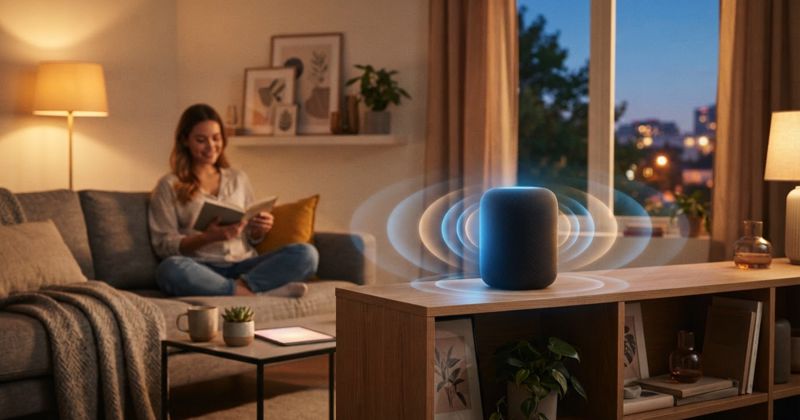
Here is the good news: you may already have one. Many smart speakers, smart displays, and hubs from the major ecosystems include a Thread radio and act as border routers. Common categories include:
| Device type | Often acts as a Thread border router? |
|---|---|
| Smart speakers / displays | Frequently, on recent models |
| Smart-home hubs | Frequently |
| Some Wi-Fi routers | Increasingly, on newer models |
| TV streaming boxes | On select models |
Because support varies by model and generation, check the product's specifications for "Thread" or "Thread border router" rather than assuming. Having more than one border router is fine and actually improves coverage, since Thread devices can route through whichever is closest.
What to do before buying Thread devices
The practical rule: confirm you have a border router before you buy a Thread device. If your home has a recent smart speaker, display, or hub from the ecosystem you use, you probably do. If not, adding one such device first gives every future Thread gadget a way onto your network. If you would rather not add a hub, choose the Wi-Fi version of a device where one exists.
Bottom line
A Thread border router is the quiet bridge that lets low-power Thread devices reach your network and the internet. Thread keeps smart-home gadgets efficient and resilient, Matter makes them interoperable, and the border router is the translator between them. Check whether your existing speakers, displays, or hub already provide one, and you will sidestep the single most common "why won't this pair" problem in modern smart homes.
Sources and further reading
Sources
- Thread Group: What is Thread threadgroup.org
- Connectivity Standards Alliance: Matter csa-iot.org