Smart Thermostat Compatibility Checklist for Different HVAC Systems
The most common reason a smart thermostat purchase goes wrong is compatibility. Before you buy, run through this checklist to confirm the device will actually work with your heating and cooling system.
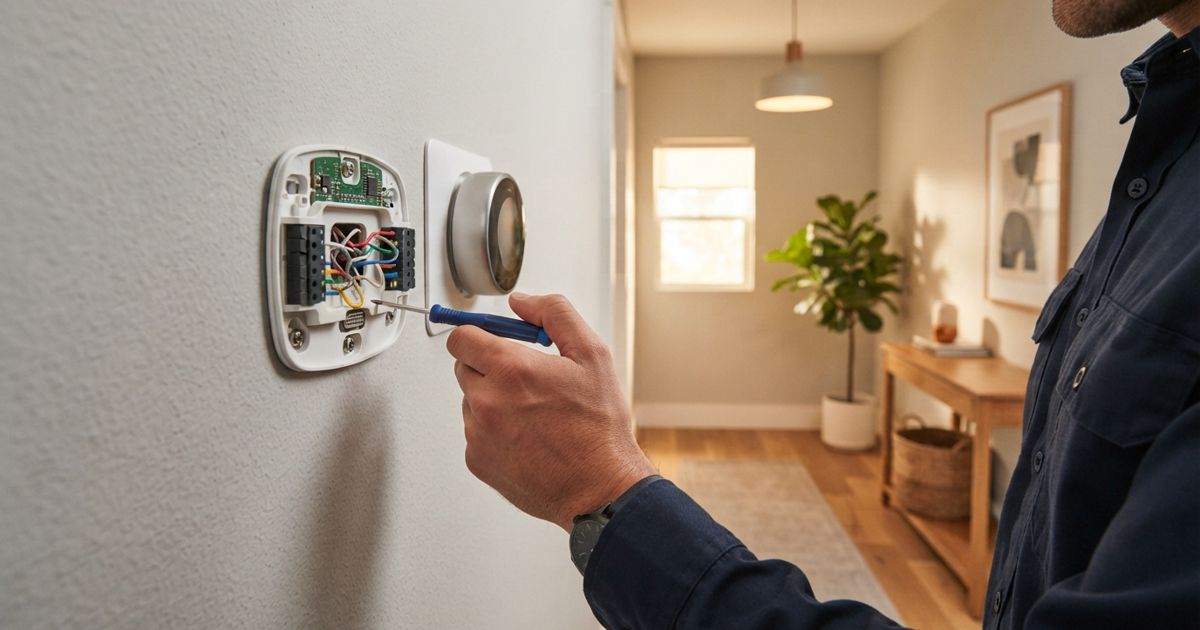
Table of contents
Smart thermostats are one of the most popular smart-home upgrades, and also one of the most commonly returned. The reason is almost never that the thermostat is bad. It is that the buyer did not check whether it fit their heating and cooling system before ordering. Thermostats are not universal, and a mismatch can mean anything from a missing feature to a device that simply will not power on.
The good news is that a few minutes of checking beforehand will save you the hassle of a return. Here is a plain-English checklist to run through before you buy.
First, identify what kind of system you have
Compatibility starts with knowing what you are working with. In broad strokes, home climate systems fall into a few families:
- Central forced-air — a furnace and often an air conditioner pushing air through ducts. This is the most common type and the best supported by smart thermostats.
- Heat pump — a single system that both heats and cools, sometimes with auxiliary or "emergency" heat for cold snaps. These need a thermostat that specifically supports heat pumps.
- Boiler / radiator or in-floor hydronic heat — hot water rather than forced air. Support here is more limited and depends on the wiring.
- Line-voltage electric heat — baseboards and some wall heaters running on higher voltage. These require a different class of thermostat entirely.
If you are not sure which you have, the wiring behind your current thermostat and the equipment in your basement, closet, or attic will usually tell you. When in doubt, this is exactly the kind of thing an HVAC professional can confirm quickly.
The wiring check: low voltage vs line voltage
This is the make-or-break distinction, so check it first.
- Low-voltage systems use thin wires and a small control signal. The vast majority of smart thermostats are built for these.
- Line-voltage systems carry full household voltage to the thermostat, typically for electric baseboard heating. A standard smart thermostat is not designed for this and can be damaged or dangerous if installed on the wrong system. If you have line-voltage heat, you need a thermostat explicitly rated for it.
You can often tell them apart by the wiring: many thin colored wires point to low voltage, while a pair of thick wires suggests line voltage. If there is any uncertainty, stop and confirm before buying or installing anything.
The C-wire question
For low-voltage systems, the most frequent compatibility snag is the C-wire, or common wire. It provides continuous power to keep a modern thermostat's screen, Wi-Fi, and processor running.
Your options if you are missing one:
- You have a C-wire already. Many homes do. Pull off your current thermostat's faceplate and look for a wire in the terminal labeled "C." If it is there and connected, you are in the easiest position.
- Your thermostat includes an adapter. Some smart thermostats ship with a small module that adds the equivalent of a C-wire at the furnace, or are designed to work without one. Check the product's requirements before assuming.
- You need one added. If there is no C-wire and no workaround, running a new wire is usually a straightforward job for an HVAC technician, but it is a cost and step to plan for.
Do not skip this check. A thermostat that powers on but keeps dropping its Wi-Fi is very often a power-delivery problem, and our troubleshooting checklist covers how to recognize it.
Multi-stage and multi-zone systems
More capable systems add more wires, and your thermostat has to understand them.
- Multi-stage heating or cooling runs equipment at more than one level of output for efficiency. To control it properly, the thermostat must support the number of stages you have — otherwise you lose the benefit of that equipment.
- Heat pumps with auxiliary heat need a thermostat that can manage the switchover to backup heat correctly. This is a common mismatch, so confirm heat-pump support explicitly rather than assuming it.
- Multi-zone homes with separate areas on their own controls typically need one compatible thermostat per zone, and each zone should be checked individually.
The safe move is to count the wires and terminals in use on your current thermostat, note their labels, and compare that against the smart thermostat's supported configurations.
A pre-purchase checklist
Before you add anything to your cart, confirm you can answer each of these:
| Check | What you are confirming |
|---|---|
| System type | Forced-air, heat pump, boiler, or line-voltage electric |
| Voltage | Low voltage (most smart thermostats) vs line voltage (needs a special model) |
| C-wire | Present, provided by an adapter, or needs to be added |
| Stages | The thermostat supports your number of heating/cooling stages |
| Heat pump support | Explicit support, including auxiliary heat if you have it |
| Zones | One compatible unit per independently controlled zone |
| App and platform | It works with the smart-home ecosystem you already use |
Most manufacturers offer an online compatibility tool where you enter the wires behind your current thermostat. Using it takes a couple of minutes and is far more reliable than guessing.
Don't forget the ecosystem fit
Compatibility is not only about wires. If you are building a connected home, make sure the thermostat plays nicely with the platform you have chosen so it can join your routines and respond to other devices. If you have not settled on a platform yet, our buying guide overview is a good place to think that through before you commit.
When to call a professional
Plenty of low-voltage thermostat swaps are a confident do-it-yourself job. But bring in an HVAC professional when you are dealing with line-voltage heat, adding a C-wire, working with multi-stage or heat-pump equipment you are unsure about, or any time the wiring does not match what the instructions describe. A short consultation is cheaper than a damaged system.
Run the checklist, use the manufacturer's compatibility tool, and you will avoid the single most common reason these upgrades disappoint. For a wider look at whether the investment pays off, see our take on smart thermostats and whether they still save money.