Smart Button and Remote Ideas That Actually Get Used Every Day
Voice control and apps get all the attention, but a physical button is often the fastest, most reliable way to run a smart home. Here are button and remote ideas that earn their place instead of gathering dust.
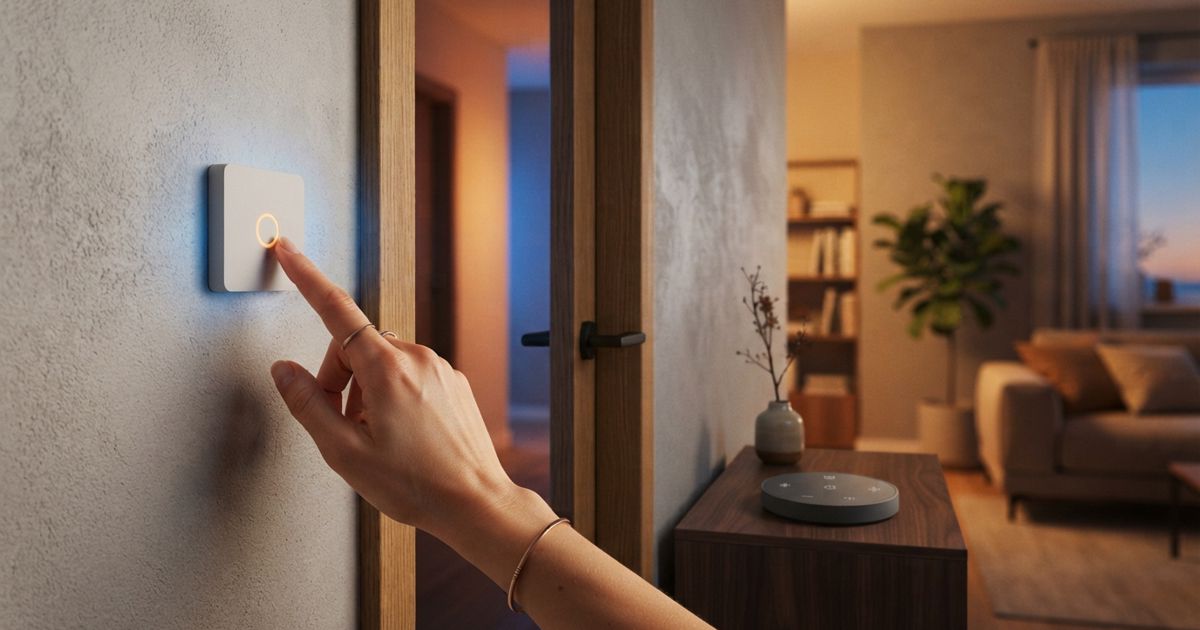
Table of contents
- Why buttons beat voice and apps for routine actions
- Bedside: the highest-value button in the house
- The entryway: one-tap arrivals and goodbyes
- Room scenes without the app
- Kid-friendly and guest-friendly controls
- Remotes: portable control for the couch and beyond
- Placement rules that make buttons stick
- Keep it simple
Ask people what they love about their smart home and they will usually mention voice assistants or a slick app. Ask what they actually touch every day, and the honest answer is often a physical button. There is a reason: a button is instant, it works the same way every time, and anyone in the household can use it without knowing a single command.
The problem is that most smart buttons get bought on impulse, stuck somewhere random, and then forgotten. The difference between a button that gets used a hundred times a week and one that ends up in a drawer is almost entirely about placement and purpose. Here are ideas that consistently earn their spot.
Why buttons beat voice and apps for routine actions
Voice and apps are excellent for open-ended requests. But for the handful of things you do every single day, a dedicated control almost always wins:
- It is faster. No unlocking a phone, no waiting for an assistant to respond.
- It is reliable. A button does the same thing whether the internet is up or down, especially on locally controlled systems.
- It is universal. Guests, kids, and less tech-inclined family members can use it without instruction.
- It is quiet. No talking required, which matters at night or in a shared space.
The trick is to reserve buttons for the actions you repeat constantly, and leave the long tail of one-off requests to voice and apps.
Bedside: the highest-value button in the house
If you install exactly one button, put it by your bed. A bedside control that turns off every light in the house is the kind of thing you will use every night and immediately miss when it is gone.
Good bedside button ideas:
- "Good night" — turns off all lights, optionally locks the doors and lowers the thermostat.
- "Reading light" — a single dim, warm lamp so you are not stumbling to a wall switch.
- A double-press for "everything off now," useful when you have already settled in and spot a light left on downstairs.
Because this button runs in the dark, pick one with a tactile shape you can find by feel, and mount or place it where your hand naturally lands.
The entryway: one-tap arrivals and goodbyes
The spot by your main door is prime real estate for a button. It is where you already pause to grab keys, so it is a natural place to trigger a whole-home change.
- "Goodbye" — lights off, thermostat to away, and, if you trust it, doors locked.
- "Welcome home" — entry lights on, and perhaps a scene that suits the time of day.
A word of caution on locking: only automate the deadbolt if you are confident in your setup and have a reliable backup way in. For everything else, an entryway button removes a surprising amount of daily friction.
Room scenes without the app
Inside a room, a button lets everyone control the space the way a normal light switch would — except now that switch can set a whole scene.
- A living room button that cycles between "bright," "movie," and "relax" lighting.
- A kitchen button that brings up full task lighting for cooking, then a softer scene for eating.
- An office button that flips on your focus lighting when you sit down to work, which pairs nicely with the routines in our guide to smart lighting routines.
Cycling through scenes with repeated presses keeps the number of physical buttons low while still giving you variety.
Kid-friendly and guest-friendly controls
Smart homes often break down the moment someone who is not the "admin" tries to use them. Buttons fix that.
- A big, obvious button in a child's room to turn their light on and off gives them independence without an app or an account.
- A guest room button for lights and blinds means visitors never have to ask how anything works.
- A bathroom or hallway button as a simple, reliable backup so nobody is ever left tapping a phone in the dark.
The goal is a home that anyone can operate on their first try.
Remotes: portable control for the couch and beyond
Not every control needs to be fixed to a wall. A small handheld remote or a multi-button scene controller shines where you spend long stretches in one spot.
- A couch remote for lighting and media scenes during movie night.
- A multi-button controller on a side table that maps a different room or scene to each button.
- A portable button you can move around while you figure out where it is most useful before committing to a permanent mount.
Multi-button remotes are also a tidy way to consolidate: one device can hold your most-used scenes instead of scattering single buttons around a room.
Placement rules that make buttons stick
The ideas above only work if the hardware is where your hand expects it. A few rules:
- Put the button where the action happens — the decision to turn off the lights happens in bed, so that is where the button goes.
- Mount it at a natural height and, for wall buttons, roughly where a light switch would be.
- Label its job in your own head and keep it consistent. A button that does something different depending on context will confuse everyone.
- Test the reliability before you commit. If a press sometimes fails, treat it like any other flaky device and work through our smart home troubleshooting checklist.
Keep it simple
The households that actually use their buttons tend to have fewer of them, each with a clear, unchanging job. Start with the bedside "good night" and an entryway "goodbye," live with them for a couple of weeks, and add more only when you catch yourself wishing a particular action were one press away. For the wider philosophy of building controls people reach for instead of novelties that impress once, see how to create useful automations instead of gimmicks.