How to Stop Smart Cameras From Sending Too Many False Alerts
A camera that cries wolf a hundred times a day is a camera you'll stop reading. Most false alerts come from a few fixable causes — placement, motion zones, and sensitivity. Here's how to quiet the noise without missing what matters.
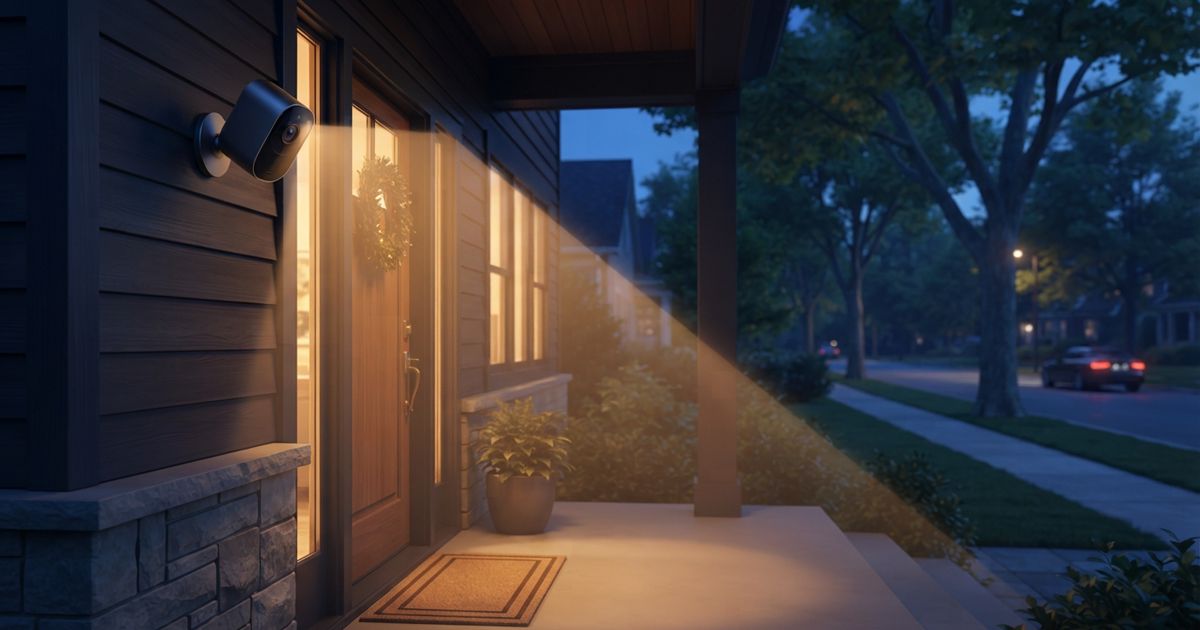
Table of contents
A smart camera is only useful if you trust its alerts. When it pings you for every passing car, swaying branch, and shadow at dusk, the notifications become background noise — and the one alert that actually matters gets swiped away with the rest. Alert fatigue is the real failure mode of home cameras, and almost all of it is fixable in software and placement, not by buying new hardware.
Here's how to tame the noise methodically, from the causes that produce the most false triggers to the fine-tuning that catches the rest.
Why cameras over-alert in the first place
Most false alerts trace back to a handful of causes:
- Too-wide a view. A camera pointed at a busy street or sidewalk sees everything the public does — and reports it.
- Basic motion detection. Simple pixel-change detection can't tell a person from a shifting shadow, a spider on the lens, or headlights sweeping across a wall.
- Environmental triggers. Wind-blown trees, rain, insects attracted to the night IR light, and rapid light changes at sunrise and sunset are classic culprits.
- Sensitivity cranked too high. A camera set to notice everything will, faithfully, notice everything.
You'll get the biggest wins by attacking these in order: fix what the camera can see, then refine how it decides something is worth an alert.
Step 1: Fix placement and framing
The cheapest, most effective change costs nothing. Point the camera at what you care about and away from what you don't.
- Aim at entry points, not thoroughfares. A camera watching your own doorway, driveway, or gate will trigger far less than one staring at a public street.
- Angle down. Tilting the camera downward keeps distant traffic and swaying treetops out of frame while still covering the ground where people actually approach.
- Mind the sun and reflective surfaces. A camera facing east or west catches harsh light changes twice a day; reflective walls, water, and glass bounce motion around.
- Watch for spiders and bugs. Insects crawling on the lens or hovering near night-vision IR are a surprisingly common source of 3 a.m. alerts. A little distance from eaves and lights helps.
Get the frame right and you've often eliminated the majority of false triggers before touching a single setting.
Step 2: Draw motion (activity) zones
Nearly every capable camera lets you define activity zones — regions of the frame it should watch and, just as usefully, regions it should ignore. This is the single most powerful software tool you have.
- Include only what matters: the path to your door, the driveway apron, the gate.
- Exclude the noise: the public sidewalk, the road, the neighbor's tree, the flag that flaps all day.
Think of zones as telling the camera where to care. A well-drawn zone turns a camera that alerts fifty times a day into one that alerts when someone actually walks up to your house. Sensors work on the same principle of watching the right area rather than everything — the logic overlaps with how motion, contact, and presence sensors are placed to avoid false positives.
Step 3: Use smart detection, not raw motion
If your camera offers object or "smart" detection — person, vehicle, package, animal — turn it on and lean on it. Instead of alerting on any pixel change, the camera alerts only when it recognizes a category you care about.
- Alert on people for a front door; ignore cars and animals.
- Alert on vehicles for a driveway if that's what matters.
- Silence animal and general-motion alerts unless you specifically want them.
Object detection is what separates a modern camera experience from a decade-old motion sensor bolted to a lens. Where it's available, it does more to cut false alerts than any sensitivity slider.
Step 4: Tune sensitivity and timing
With placement, zones, and smart detection handled, fine-tune the remaining dials:
- Lower the sensitivity a notch at a time until routine background motion stops triggering but real approaches still do. Don't slam it to minimum — you'll miss genuine events.
- Use cooldown or "snooze" intervals so one continuous event doesn't fire twenty separate notifications.
- Schedule by time. Reduce or mute alerts during hours when motion is expected and unimportant, and keep them sharp overnight.
- Separate recording from notifying. Let the camera record generously but notify selectively — you keep the footage without the constant buzz.
Step 5: Prune the notifications themselves
Sometimes the camera is behaving and the problem is how alerts reach you. Decide which events deserve a push notification versus which are fine to review later in the app. Many people route "person at the front door" to an instant alert while letting general motion log quietly. If you automate any of this, keep it purposeful rather than clever — the same discipline that separates useful automations from gimmicks applies to alerts.
A quick tuning checklist
- Re-aim the camera at entry points, angled down, away from streets and sun.
- Draw activity zones that include your property and exclude public space.
- Enable object/person detection and disable raw motion where you can.
- Lower sensitivity gradually and add cooldown intervals.
- Schedule and route notifications so only meaningful events buzz your phone.
Don't forget privacy while you tune
Reducing false alerts and respecting privacy go hand in hand: tight activity zones that exclude a neighbor's window or the public sidewalk are both less noisy and more considerate. When you're adjusting a camera anyway, it's a good moment to revisit the privacy features worth checking on any camera or doorbell.
A camera you trust is one you'll actually act on. Spend twenty minutes on placement and zones, lean on smart detection, and tune the rest gently — and you'll trade a hundred meaningless pings for the handful that genuinely deserve your attention.